
Case Study
Building Custom Tools That Make Websites More Useful
DaleyPWS has developed calculators, guided writing tools, analysis tools, and other interactive features for specialized resource websites. The goal is simple: help visitors accomplish something useful on the site rather than just read about it.
The Challenge
Informational websites often reach a point where content alone is not enough.
A visitor may understand how to write a fundraising letter but still be staring at a blank page. They may know which numbers are needed for a calculation but not want to work through the formula manually. They may even have access to a general AI tool but not know what information to provide or how to structure the request.
Those are small problems, but they create friction.
We began building tools to remove some of that friction and give visitors a more direct way to complete common tasks.
For writing tools, that meant guiding users through the information needed for a particular type of document instead of asking them to start with an empty prompt.
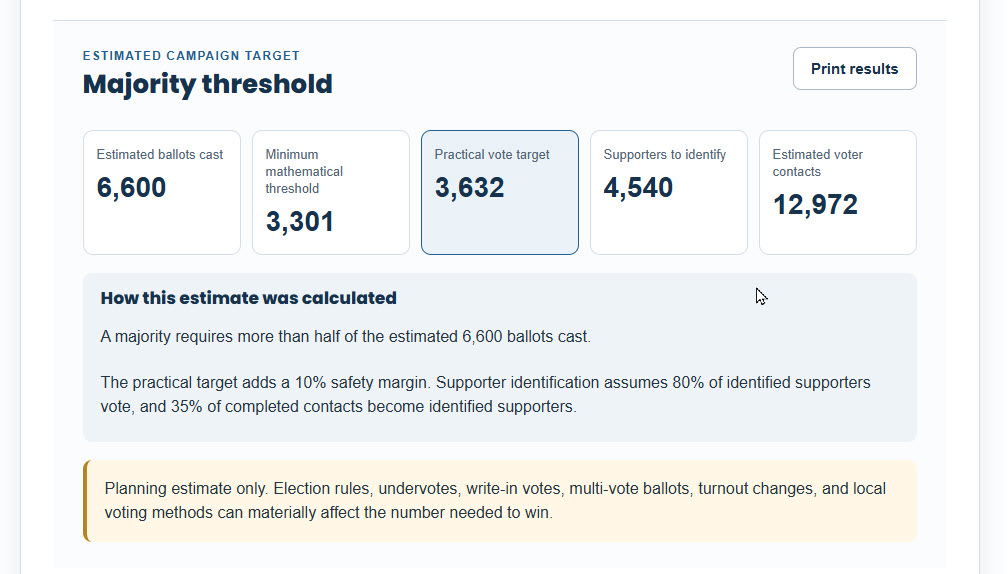
For calculators, it meant turning a repeatable calculation into a quick process that produces a result someone can review, print, or share.
Designing Around the Task
The starting point for each tool is the job the visitor is trying to complete.
A general AI system can write a letter, for example, but the user still has to decide what to include, how to frame the request, what tone to use, and how detailed the result should be.
A purpose-built tool can handle more of that structure up front.
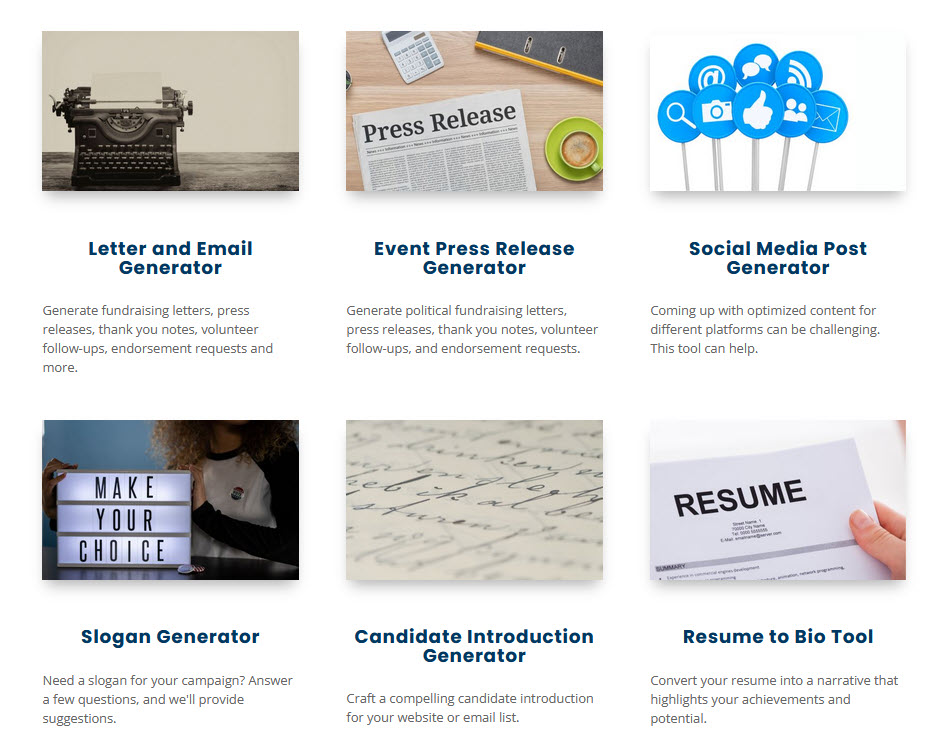
On Online Candidate Resources, we created tools for tasks such as campaign letters and emails, candidate biographies, social content, content analysis, and other recurring communication needs.
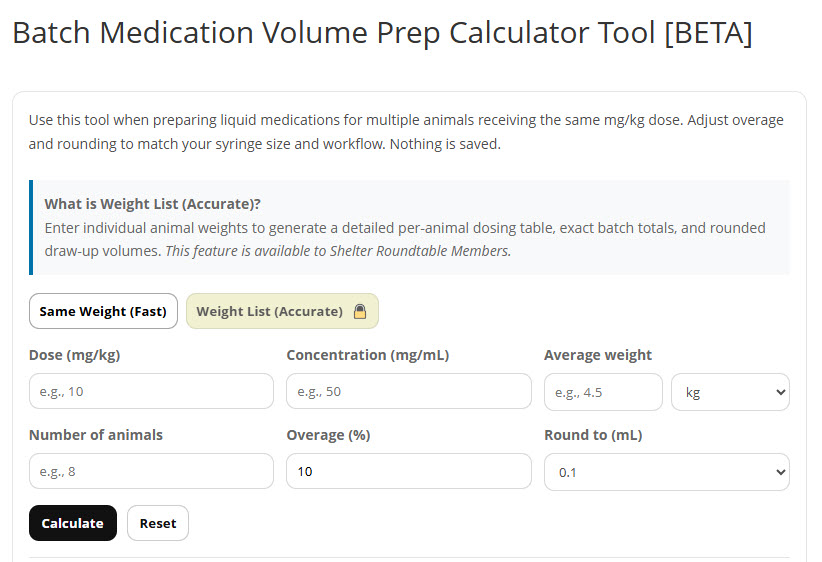
For Shelter Roundtable, the same idea was applied to a very different audience. Tools were created for shelter communications, grant review, event planning, animal bios, staff-time calculations, medication calculations, and other operational needs.
The subject matter changed, but the approach stayed the same: identify a recurring task, decide what information is actually needed, and build an interface that helps the user move through it.
Making AI More Useful Inside a Website
One of the lessons from this work is that AI is often more useful when the user does not have to think like a prompt engineer.
Instead of presenting a blank text box, a specialized tool can ask for only the information relevant to the task.
A letter generator, for example, can ask what type of letter is needed, who it is for, what the purpose is, and what tone the user wants. The system can then use those choices to create a more focused draft.
That does not eliminate the need for review or editing. It simply removes much of the setup work.
The value is not that AI exists on the website. The value is that the website turns a broad technology into a tool designed for a specific use.
Building Calculators for Quick Answers
Calculators solve a different kind of problem.
When a user has the information needed to answer a recurring question, there is often no reason to make them calculate the result manually or leave the site to find another tool.
We have built calculators that take a small set of inputs, perform the required logic, and return the answer immediately.
The results can then be displayed in a format that is easy to save, print, or share.
This makes the calculator more than an informational feature. It gives visitors a practical reason to use the site and can turn a piece of content into something they return to when the same need comes up again.
Using Custom Development Where It Adds Value
Not every website needs custom functionality.
If an existing plugin or standard form solves the problem well, there is little value in rebuilding it from scratch.
Custom development becomes worthwhile when the website needs to do something more specific: perform a calculation, connect to an outside service, guide a user through a specialized process, generate structured output, or handle a workflow that off-the-shelf tools do not support well.
Depending on the project, that can involve WordPress, PHP, JavaScript, APIs, AI services, or custom calculation logic.
The technology varies. The decision does not.
The question is whether the feature makes the website more useful to the people who depend on it.
The Result
Across these projects, the websites became more than collections of pages.
Visitors can use them to create documents, calculate results, analyze information, and complete tasks that would otherwise require another tool, a spreadsheet, or a more complicated manual process.
The projects also show the value of starting with the user need rather than the technology.
The strongest custom tools are usually not the most complicated ones. They are the ones that remove a specific step, answer a recurring question, or make an existing process easier.
That’s the standard we use when deciding whether custom functionality is worth building.
Related Services
Website Design & Custom Development
Sometimes a website needs to do more than display information. We design and develop websites with custom functionality, integrations, forms, calculators, and other features when standard tools are not enough.
AI Consulting
AI is most useful when it is connected to a specific task. We help businesses and organizations identify practical AI use cases and create focused workspaces that make recurring work easier to manage.
Digital Consulting & Workflow Improvement
Not every problem needs custom development. We can help you look at an existing process, website, or digital tool and determine whether the best answer is a custom feature, an integration, an existing solution, or simply a better workflow.
Could Your Website Do More Than Provide Information?
If your customers or staff repeatedly calculate something, create the same type of document, move information between systems, or work through a manual process, there may be a practical way to make that task easier. We can help you determine whether custom functionality or an integration makes sense.